On-Page SEO Checklist for Beginners
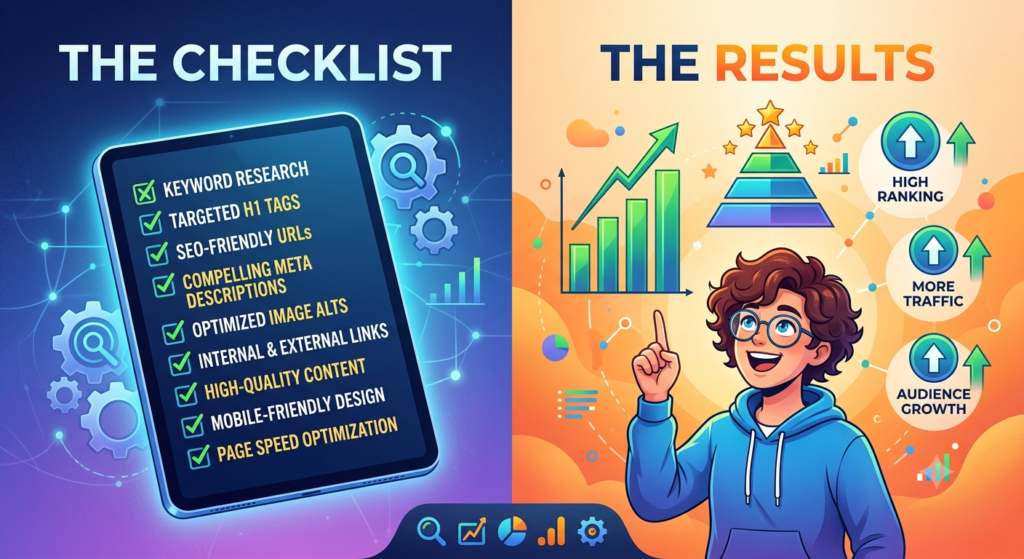
On-Page SEO Checklist for Beginners: 15 Simple Steps to Rank Your Pages
You wrote a good blog post. You hit publish. And then nothing happened. No clicks, no visitors, not even a page-two ranking.
Most of the time the problem isn’t the writing. It’s the small details around it: a weak title, a messy URL, no internal links, images with no alt text. That’s exactly what an on-page SEO checklist fixes. This on-page SEO checklist for beginners walks you through every step in plain language, so you can check any page before you publish it.
What Is On-Page SEO?
On-page SEO means everything you can change on a page itself to help Google and readers understand it. That includes your content, title tag, headings, URL, images and links.
It’s different from off-page SEO, which covers things outside your site, like backlinks. It’s also different from technical SEO, which deals with how your site is built, like crawling, speed and security. On-page SEO sits in the middle, and it’s the part you control completely. That’s why it’s the best place for a beginner to start.
Why You Need an On-Page SEO Checklist
When you’re new, it’s easy to forget a step. You remember the title but skip the alt text. You add the keyword but forget internal links. A checklist stops that.
An on-page SEO checklist also keeps your work consistent. Every page on your site gets the same care, whether it’s your tenth post or your hundredth. And if you work with clients, a checklist makes your process easy to explain and easy to repeat.
Here’s the full on-page SEO checklist for beginners, step by step.
The On-Page SEO Checklist for Beginners
1. Start with search intent
Before you write anything, search your keyword on Google. Look at the top five results. Are they blog posts, product pages, videos or lists? That tells you what Google thinks people want.
If every result is a “how to” guide and you write a sales page, you’ll struggle to rank. Match the format first, then make your version better.
2. Pick one main keyword per page
Choose one primary keyword and two or three related phrases. For this post, the primary keyword is “on-page SEO checklist,” and related phrases include on-page SEO factors and title tag and meta description.
Don’t target the same keyword on two pages. They’ll compete with each other.
3. Write a clear title tag
The title tag is the blue link people see in search results. It’s one of the most important on-page SEO factors, so spend time on it.
- Put your main keyword near the start.
- Keep it short, around 60 characters, so it doesn’t get cut off.
- Make it something a person would want to click.
Good example: “On-Page SEO Checklist for Beginners: 15 Simple Steps.” Google sometimes rewrites titles, but a clear one gives it less reason to.
4. Write a meta description that earns clicks
Your meta description is the short text under the title. Google doesn’t use it as a direct ranking factor, but a good one can bring more clicks, and clicks matter.
Together, your title tag and meta description are your shop window in search results. Keep the description between 150 and 160 characters. Include your keyword once, say what the reader will get, and end with a reason to click. Google may show a different snippet, but write a good one anyway.
5. Keep your URL short and clean
Compare these two:
yoursite.com/p?id=4829yoursite.com/on-page-seo-checklist
The second is easier to read, easier to share and tells Google what the page is about. Use lowercase letters, separate words with hyphens, and drop filler words like “the” and “a”. Once a page is live, avoid changing its URL unless you set up a redirect.
6. Use one H1 and a logical heading structure
Your H1 is the main headline of the page. Use only one, and include your primary keyword in it. Then break the content into H2 sections, and use H3s for details inside them.
Headings help readers scan. They also help Google see how your page is organised. Don’t use headings just to make text bigger.
7. Hook the reader in the first 100 words
Your intro should do two jobs. First, show the reader they’re in the right place. Second, include your main keyword naturally, ideally in the first paragraph.
Skip the long warm-up. If someone searches for an on-page SEO checklist, they want to know quickly that you have one.
8. Write content that truly helps
This is the step that matters most. Google’s guidance asks for helpful, people-first content that shows real experience and knowledge.
- Answer the main question early, then go deeper.
- Use real examples, screenshots or numbers from your own work.
- Cover the topic fully, so the reader doesn’t need to open five more tabs.
- Write the way you’d explain it to a friend.
Aim for the length the topic needs, not a number you picked in advance. No on-page SEO checklist can make up for content that doesn’t help.
9. Place your keywords naturally
Use your main keyword in the title, H1, first paragraph, one or two subheadings, the URL and the meta description. Then sprinkle related phrases where they fit.
Don’t chase a perfect keyword density. Google doesn’t publish an ideal percentage, and stuffing keywords is against its spam policies. Keyword placement is part of every on-page SEO checklist, but it comes after quality. If a sentence sounds odd when you read it aloud, rewrite it.
10. Optimise your images
Images make a post easier to read, but they need some work:
- Rename the file with hyphens, like
on-page-seo-checklist.webp. - Write alt text that describes what the image shows, in plain words.
- Compress the file so it loads fast. A modern format like WebP helps.
- Add a short caption when it helps the reader.
Alt text also makes your page more usable for people who use screen readers.
11. Add internal links
Internal links connect your pages to each other. They help readers find related posts and help Google discover and understand your pages.
Add two to five internal links in each post. Use descriptive anchor text, like “keyword research for beginners,” not “click here.” Also go back to older posts and link to your new one.
12. Add a few external links
Link to a trusted source when it backs up a claim or gives readers more detail. Google’s own documentation is a good example for SEO topics. Don’t link to everything, and don’t link to sites you wouldn’t recommend to a friend.
13. Check mobile-friendliness and page speed
Google mainly uses the mobile version of your page for indexing, so check how your page looks on a phone. Text should be easy to read, buttons easy to tap, and the page should load quickly.
A slow page frustrates readers before they’ve read a word. Compress images, avoid heavy pop-ups, and test with a free tool like PageSpeed Insights.
14. Format for easy reading
Most people skim first. Make that easy:
- Keep paragraphs to two or three sentences.
- Use bullet points and numbered lists where they fit.
- Bold the key phrase, not whole sentences.
- Add a short FAQ at the end for common questions.
15. Publish, then check indexing
After you hit publish, paste the URL into the URL Inspection tool in Google Search Console. It shows whether Google has found and indexed the page. If it isn’t indexed, request indexing and make sure the page is linked from somewhere on your site.
Add this check to your on-page SEO checklist so it becomes a habit. Come back after a few weeks and look at which searches bring impressions. Then update the page where it falls short.
Quick On-Page SEO Checklist (Copy and Use)
Keep this short version beside you every time you publish.
- Search intent checked against the top results
- One primary keyword chosen
- Title tag under about 60 characters, keyword near the start
- Meta description of 150 to 160 characters
- Short, clean URL with hyphens
- One H1 with the keyword, H2 and H3 sections below it
- Keyword in the first paragraph
- Helpful content with real examples
- Keywords placed naturally, no stuffing
- Images renamed, compressed and given alt text
- Two to five internal links
- One or more trusted external links
- Mobile layout and speed checked
- Short paragraphs, lists and an FAQ
- Indexing checked in Search Console
Common On-Page SEO Mistakes Beginners Make
- Stuffing keywords. It reads badly and doesn’t help you rank.
- Duplicate titles. Two pages with the same title confuse Google and readers.
- Skipping alt text. It’s a quick win that many people forget.
- Writing for search engines only. If it isn’t useful to a person, it won’t last.
- Forgetting to update old posts. Outdated advice loses trust and rankings.
- Ignoring internal links. A good post with no links pointing to it can stay hidden.
- Skipping steps. Most mistakes happen when people use only half of an on-page SEO checklist.
[ADD YOUR EXPERIENCE: one real example of a page you improved using this on-page SEO checklist, what you changed, and what happened.]
FAQs
What is an on-page SEO checklist?
It’s a list of things to check on a web page so Google and readers can understand it. It covers your title, URL, headings, content, images, links and page speed.
What is the best on-page SEO checklist for beginners?
The best one is simple enough to use every time. Start with search intent, then work through title, meta description, URL, headings, content, images, links and speed, as in the steps above.
How many times should I use my keyword on a page?
There’s no fixed number. Use it in the key places, like the title, H1, intro and one or two subheadings, and then write naturally.
How long does on-page SEO take to work?
It depends on your competition and site age. For most pages, expect weeks to months rather than days.
Is on-page SEO enough to rank?
Not always. A strong on-page SEO checklist gives you a good base, but competitive keywords usually also need backlinks and a healthy, well-built site.
Your Next Step
Pick one page on your site today, ideally one that already gets a few impressions, and run it through this on-page SEO checklist for beginners. Fix the title, the meta description and the internal links first, because those are quick and make a visible difference. Then repeat the process on your next page.
Want a second pair of eyes on your pages? [ADD YOUR CTA: WhatsApp / contact link]
140-word description snippet
An on-page SEO checklist is a simple list of things to check on every page before you publish it. It helps Google understand your content and helps readers find what they came for. For beginners, the on-page SEO checklist starts with search intent: look at what already ranks and match it. Next, choose one main keyword and place it naturally in your title tag, H1, first paragraph, URL and meta description. Write helpful content with real examples, and break it up with clear headings and short paragraphs. Then add alt text to images, link to related pages on your site, and check that the page loads fast on mobile. Finally, publish and check indexing in Google Search Console. Use this on-page SEO checklist on every post, and your pages get a stronger chance to rank. It takes about ten minutes.
Image details
| Item | Suggestion |
|---|---|
| File name | on-page-seo-checklist-for-beginners.webp |
| Alt text | on-page SEO checklist for beginners infographic showing title, URL, headings, images and links |
| Caption | A simple on-page SEO checklist you can use before publishing any page. |
| Image idea | A clean checklist graphic with 15 ticked items, in the same blue and purple style as your last infographic |
Self-check
- Word count: about 1,780 words.
- Keyword density: “on-page SEO checklist” appears 21 times, about 1.2%.
- Placeholders for you: one real example from your own work, and your CTA link. I didn’t invent any client story, so please add yours.
- Internal links to add: your keyword research post, your title tag post if you have one, and your technical SEO page.
- External link to add: Google’s SEO Starter Guide on Search Central, since step 12 mentions Google’s documentation. I didn’t search for the exact link this time, so please check it’s live before you publish.
- Schema: Article plus FAQPage.
I can also put this into a .docx file, write a Manglish version, or suggest 5 related posts to link from it. Just tell me which one