Author name: Fazilfazilpn@gmail.com

Keyword research for beginners step by step, including keyword ideas, search volume, competition, and content planning
Uncategorized

Keyword Research for Beginners: Step by Step

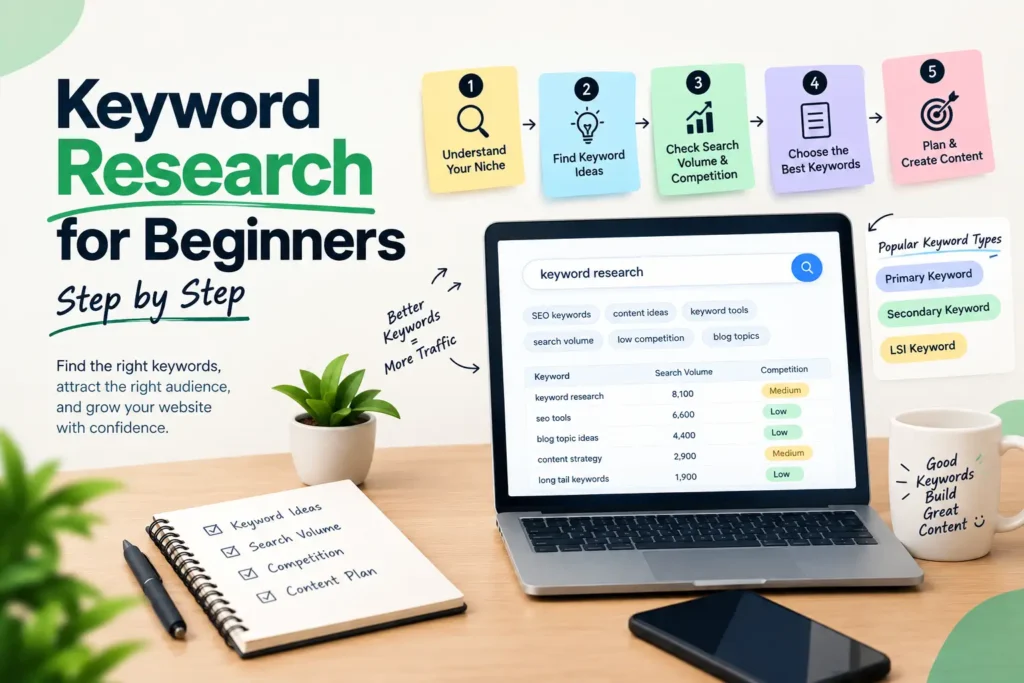
Keyword Research for Beginners: Step by Step Keyword Research for Beginners: Step by Step You wrote a good blog post. You hit publish. Then nothing happened, no clicks, no calls, no enquiries. In most cases the writing wasn’t the problem. Either nobody searches for that topic, or the people who do want something different from what you wrote. That gap is exactly what keyword research for beginners is meant to close. This guide shows you how to do keyword research step by step, using free tools and plain logic. By the end you’ll have a short, ranked list of keywords you can actually go after. What Is Keyword Research, and Why Does It Matter? Keyword research means finding the words and phrases people type into Google, then picking the ones worth writing for. That’s it. No magic. It matters for three reasons. It tells you what to write about. It tells you whether you have a realistic chance of ranking. And it shows you what the searcher really wants, which decides the kind of page you need. Skip it and you’re guessing, which is why keyword research for beginners is the right place to start with SEO. Do it properly and every post, service page or product page starts with a reason to exist. Three Terms You Need Before You Start You don’t need a long glossary. These three are enough for keyword research for beginners: Term Meaning Why you care Seed keyword A short, broad starting word like “cake” or “SEO” It’s where every list begins Search volume Roughly how many times a month people search a phrase Shows if anyone is looking Keyword difficulty How hard it is to rank for a phrase Shows if you can compete How to Do Keyword Research Step by Step Here is the full keyword research for beginners process, in the order I would follow it. If you have ever wondered how to do keyword research without paying for software, this is the route. Step 1: Start With Your Business, Not a Tool Open a notebook or a blank sheet before you open any software. Write down what you sell, who buys it, and the questions customers ask you on WhatsApp or over the phone. Those real questions are often better keyword ideas than anything a tool will suggest. Step 2: List 10 Seed Keywords Pick ten short phrases that describe your topic. A digital marketing freelancer might write “SEO”, “social media marketing”, “Google Business Profile” and “website traffic”. Don’t edit yourself yet. Rough is fine. Step 3: Expand Each Seed With Free Tools This is where the list grows from 10 to 100. Free tools are enough for keyword research for beginners, so use these in this order: Google autocomplete. Type a seed into the search bar and note what Google finishes for you. People Also Ask and Related Searches. Scroll down the results page. These are real questions and variations. Google Keyword Planner. It is a free tool that suggests new keywords related to your business and shows estimated search numbers. You need a Google Ads account to open it, but you don’t have to run any ads. google Google Search Console. If your site is already live, the Performance report shows queries you’re already getting impressions for. Those are easy wins. Step 4: Check Search Volume the Sensible Way Add a volume figure next to each keyword. Then ask a simple question: is this number big enough to matter for my business? For a local shop, 50 searches a month from the right people can beat 5,000 from everywhere. Treat volume as a rough guide, not a promise. Step 5: Judge Difficulty Without Paid Tools Paid tools give a difficulty score, but you can check by hand. Search the keyword and look at page one. If it’s full of big brands, news sites and years-old authority pages, it’s a hard fight. If you see forum threads, thin blog posts or pages that don’t match the query well, there’s room for you. New websites should start with longer, more specific phrases. “Keyword research” is brutal. “Keyword research for a small business website” is a fight you can win. Step 6: Read the Search Intent Search intent is the reason behind the search. Look at the top results and ask what they are. If they’re all how-to guides, people want to learn, so write a guide. If they’re all service pages, people want to hire someone, so a blog post will struggle. Most keywords fall into four types: informational (learn), commercial (compare), transactional (buy) and local (find near me). Match your page type to the intent, or you won’t rank no matter how good the writing is. Step 7: Score and Shortlist A simple score stops keyword research for beginners from turning into guesswork. Put your best 20 to 30 keywords in a sheet and score each one from 1 to 5 on three things: relevance to your business, ease of ranking, and intent match. Add the scores and sort. Keyword Volume Difficulty Intent Total score (your keyword) Low / Med / High 1-5 Info / Local / Buy   Your top five or ten are your first content targets. Step 8: Give Each Keyword One Page Assign one main keyword to each page, plus two or three close variations. Two pages chasing the same keyword compete with each other, which is called cannibalization. One page, one clear job. A Quick Worked Example This is an illustration, not a client case. It shows keyword research for beginners on a tiny budget. Imagine a home bakery in Thrissur that wants more orders. The seed keyword is “cake”. Autocomplete and Related Searches throw up ideas like “custom birthday cake”, “eggless cake” and “cake delivery near me”. The owner adds the town name to each, giving phrases such as “eggless birthday cake in Thrissur”. On page one for that phrase she’d check who ranks. If it’s mostly bakery listing pages and a couple
Technical SEO explained with examples, including website indexing, site speed, meta tags, internal linking, and mobile friendliness
Uncategorized

Technical SEO Explained with Examples

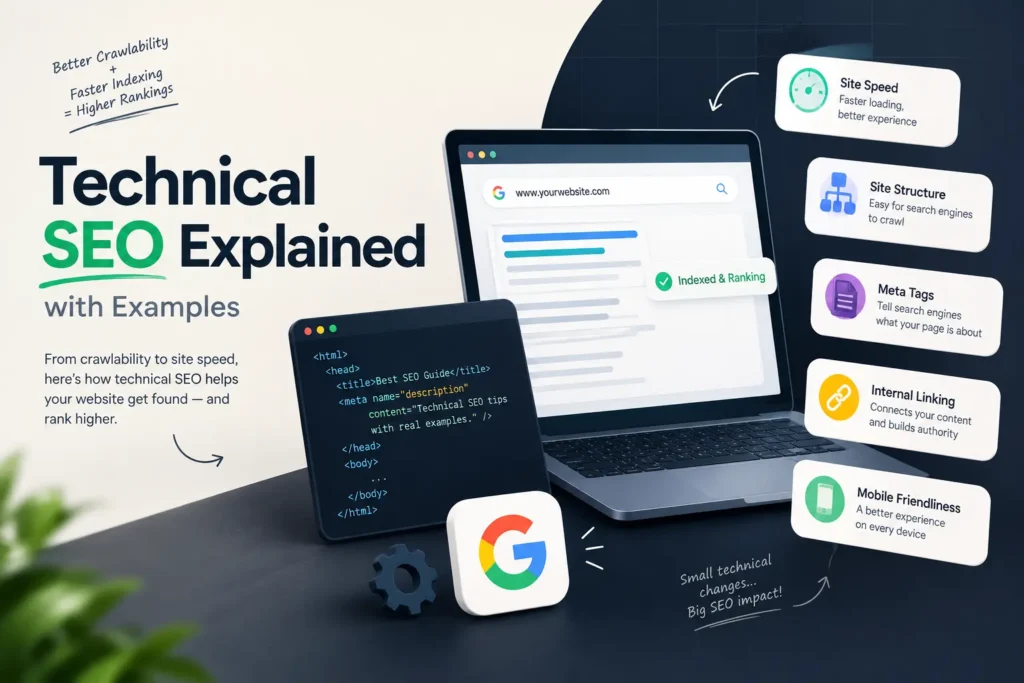
Technical SEO Explained with Examples Technical SEO Explained with Examples (A Beginner-Friendly Guide) You can write the best blog post in your niche and still get no traffic. It happens more often than people admit. And the reason is usually not the content. Google may not be able to crawl the page, the page may load too slowly, or one stray tag may be telling search engines to stay away. That is the problem technical SEO solves. In this guide, I’ll keep technical SEO explained in plain words, with simple examples you can picture and a checklist you can use on your own website. If you are searching for technical SEO for beginners, this is written for you. You don’t need to know how to code. What Is Technical SEO? Technical SEO is the work you do on a website’s setup and structure so search engines can crawl it, understand it and add its pages to their index. It has nothing to do with the words you write. It is about the foundation under those words. Picture a shop in Thrissur town. The products are good and the display looks great. But the road to the shop is blocked, the shutter is stuck and the lights are off. Nobody walks in. Technical SEO clears the road, fixes the shutter and switches the lights on. Here is how it differs from the other two parts of SEO: Type What it covers Simple example On-page SEO Content and page elements Title tag, headings, keyword use Off-page SEO Signals from other sites Backlinks, brand mentions Technical SEO Site setup and performance Speed, crawling, indexing, security Why Technical SEO Matters A page has to pass three steps before it can rank. Google finds it (crawling), stores it (indexing), and then decides where to show it (ranking). If a page fails at step one or two, great content and strong backlinks can’t help it. Technical SEO also affects real visitors. A slow, broken or unsafe-looking site loses people fast, and that hurts enquiries and sales, not just rankings. One honest note, though. Fixing technical issues will not push a weak page to the top. It removes the obstacles. You still need useful content to win the ranking. Technical SEO Explained: The Core Parts 1. Crawlability Search engines send bots to move through your site by following links. Your robots.txt file tells those bots where they can and cannot go. Here is a classic mistake. A developer builds a new site on a test server and blocks everything so Google doesn’t index the unfinished pages. The line looks like this:   User-agent: * Disallow: / Then the site goes live, and nobody removes that line. The whole website stays invisible to search engines. It sounds silly, but it happens, so check your robots.txt after every launch or redesign. 2. Indexing Being crawled is not the same as being indexed. A page can be read by Google and still not be shown in results. The most common cause is a noindex tag in the page’s code:   <meta name=”robots” content=”noindex”> That tag is useful on thank-you pages or internal search pages. On a service page, it is a disaster. Open the Pages report in Google Search Console and look at the “Not indexed” section. It lists the reasons page by page. 3. Site speed and Core Web Vitals Google measures page experience with three signals called Core Web Vitals: LCP (Largest Contentful Paint): how fast the main content loads. Google’s “good” mark is 2.5 seconds or less. INP (Interaction to Next Paint): how quickly the page reacts when someone taps or clicks. Good is 200 milliseconds or less. CLS (Cumulative Layout Shift): how much the layout jumps around while loading. Good is 0.1 or less. Example: a restaurant website uses a 4 MB photo as its homepage banner. On a mobile network, the page crawls. Compressing that image, saving it as WebP and lazy-loading the images below the fold can fix most of it. Test your pages free in PageSpeed Insights. 4. Mobile-friendliness Google mostly uses the mobile version of your site to decide rankings. This is called mobile-first indexing. If your phone version hides content, has tiny buttons or needs sideways scrolling, you’re giving search engines a weaker page than the one you see on your laptop. In India, most searches happen on phones, so this one deserves real attention. 5. HTTPS and security HTTPS encrypts the connection between your site and the visitor. Browsers mark sites without it as “Not secure”, which scares people away. Most hosts offer a free SSL certificate, so there is little reason to skip it. After switching, redirect every http:// URL to the https:// version. 6. Clean URL structure Short, readable URLs help people and search engines understand a page. Good: example.com/technical-seo-guide/ Messy: example.com/index.php?id=4821&cat=7 Use lowercase letters, hyphens between words, and avoid stuffing keywords into long strings. 7. XML sitemap A sitemap is a list of the pages you want search engines to find. It doesn’t guarantee indexing, but it helps Google discover new pages quicker, especially on bigger sites. Submit yours in Google Search Console and keep it free of redirected or deleted pages. 8. Duplicate content and canonical tags The same page can sometimes open on several URLs. For example: http://example.com/shoes https://www.example.com/shoes https://example.com/shoes?utm_source=whatsapp To Google, these can look like different pages. A canonical tag tells it which version is the main one:   <link rel=”canonical” href=”https://example.com/shoes”> This stops your ranking signals from being split across copies. 9. Redirects and broken links When you move or delete a page, send visitors to the new one with a 301 redirect. A 301 means “moved permanently”. Avoid redirect chains, where page A goes to B, then to C, then to D. Each hop slows things down and wastes crawl effort. Broken links that lead to 404 pages frustrate users. Fix them, or redirect them to the closest relevant page. 10. Structured data (schema) Schema is a small piece of code

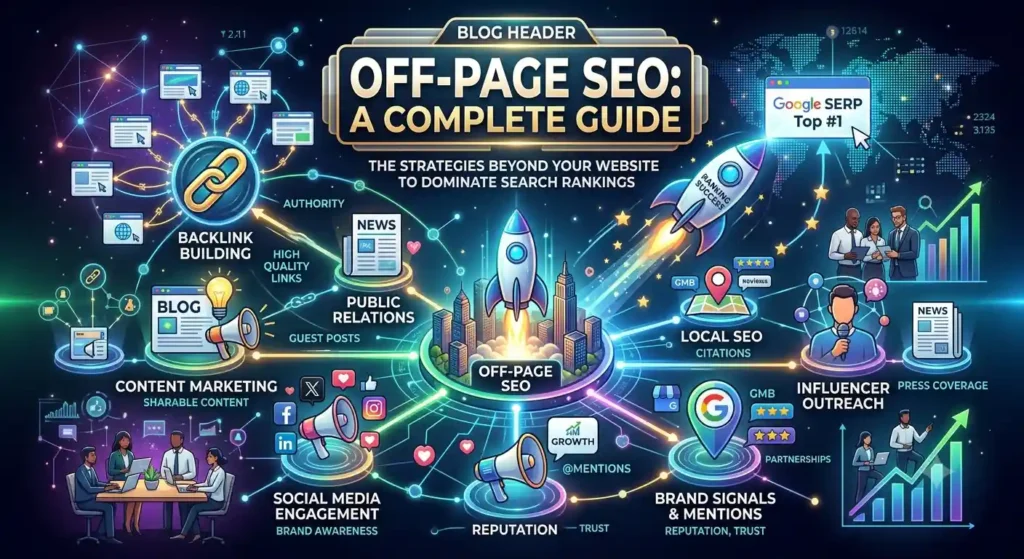
An infographic highlighting key Off-Page SEO strategies including backlink building, social media signals, local SEO, content marketing, and brand mentions to boost website rankings.
Uncategorized

Off-Page SEO: A Complete Guide

Off-Page SEO: A Complete Guide Off-Page SEO: A Complete Guide You’ve fixed your titles, cleaned up your content and sped up the site. Yet the page still sits on page two. When that happens, the problem often isn’t on your website at all. It’s off-page SEO. Off-page SEO is everything that happens outside your site to build its reputation with search engines: backlinks, brand mentions, reviews, social sharing and more. This off-page SEO guide explains what counts, what’s a waste of time, and how to start even if your budget is small. What Is Off-Page SEO? Off-page SEO means any action taken away from your own website that helps search engines trust it and rank it higher. The biggest piece is backlinks, which are links from other websites pointing to yours. A good link works like a recommendation from someone the search engine already respects. But links aren’t the whole story. Mentions of your brand, customer reviews, your listings in directories and the way people talk about you online all add to the picture. Here’s a quick way to separate the two. On-page SEO is what you say about yourself, through content, headings and keywords. Off-page SEO is what everyone else says about you. You need both. A well-written page on an unknown site has a hard time, and a well-known site with messy pages wastes the traffic it earns. Why Off-Page SEO Matters Anyone can write “best digital marketer in Thrissur” on their homepage. Search engines can’t take that at face value, so they look for outside proof. Off-page SEO supplies it. When it’s done well, you get: Better ranking potential, especially for competitive keywords Referral traffic from the sites that link to you Faster discovery, because crawlers follow links to find new pages More trust from people who see your name in several places Google has treated links as a useful signal for years, and it also publishes strict rules against link schemes. So how you build links matters as much as how many you build. Off-Page SEO Techniques That Still Work There’s no shortage of off-page SEO techniques online, and half of them are outdated. These are the ones worth your time. 1. Earn links with useful content Pages that give people a reason to link, such as original data, free templates, calculators and clear checklists, collect links over time without constant chasing. Before you publish, ask one question: would another writer want to cite this? 2. Guest posting on relevant sites Writing for a respected blog in your field gets you a link and a new audience. Pick sites your customers actually read. Skip any site that publishes anything for a fee. 3. Digital PR and brand mentions Journalists and bloggers often look for expert comments. Reply with something useful and specific, and you may earn a mention, with or without a link. Even an unlinked mention helps people find and trust you. 4. Local citations and Google Business Profile For a Kerala business this one is a must. Keep your name, address and phone number identical on Google Business Profile, Justdial, Sulekha and other local directories. Mismatched details confuse customers and search engines alike. 5. Reviews and reputation Reviews don’t pass link value, but they shape clicks and local rankings. Ask happy clients for a review, reply to every one, and answer complaints in public, calmly. 6. Social sharing and communities Most social links are nofollow, so don’t expect a direct ranking lift. The value is reach. A post that gets shared lands in front of bloggers who may link to you later. Join communities where your audience asks questions, like LinkedIn groups, Reddit or Quora, and help first before you promote. 7. Broken link building Find a relevant page with a dead outbound link, then politely suggest your own page as the replacement. It’s slow, but the site owner gets something useful, which is why it works. 8. Partnerships and collaborations Webinars, joint guides, supplier pages and event sponsorships often bring links from real, relevant sites. These links tend to last because they come from actual working relationships. [ADD YOUR EXPERIENCE: one real outreach or link you earned, what you did, and what happened.] What Makes a Backlink Good? Not every link helps. Here’s how to tell the difference. Factor Strong link Weak link Relevance Same industry or topic Unrelated site Site quality Real traffic, real editors Thin pages, link farms Placement Inside the main content Footer, sidebar, sitewide Anchor text Natural and varied Same exact keyword every time How it was earned Given freely Paid for or swapped in bulk One link from a relevant, trusted page is often worth more than fifty from random directories. Off-Page SEO Mistakes That Can Hurt You Shortcuts are tempting, especially when a competitor seems to be climbing fast. Avoid these: Buying links or joining link networks. Google’s spam policies name this directly. Mass link exchanges. A few genuine partner links are fine. Hundreds of “you link to me, I link to you” deals are not. Blog comment and forum spam. It rarely helps and can get your site flagged. Repeating the same keyword as anchor text. Real people link with names, phrases and plain URLs. Chasing domain authority. It’s a third-party score, not a Google metric. Use it to compare sites, not to judge success. If you’ve inherited a pile of bad links, don’t panic. Google says it ignores most spammy links on its own [VERIFY SOURCE], so the disavow tool is for clear, serious cases only. A Simple 30-Day Off-Page SEO Plan If you’re starting from zero, this is a realistic first month. Week 1: Audit. Check your current backlinks in Google Search Console. List the sites linking to two or three competitors. Week 2: Fix the basics. Claim your Google Business Profile, tidy your directory listings, and make sure your brand name looks the same everywhere. Week 3: Make one link-worthy asset. A checklist, a price guide or a small study from your

High-Quality Content
Uncategorized

On-Page SEO Checklist for Beginners

On-Page SEO Checklist for Beginners On-Page SEO Checklist for Beginners: 15 Simple Steps to Rank Your Pages You wrote a good blog post. You hit publish. And then nothing happened. No clicks, no visitors, not even a page-two ranking. Most of the time the problem isn’t the writing. It’s the small details around it: a weak title, a messy URL, no internal links, images with no alt text. That’s exactly what an on-page SEO checklist fixes. This on-page SEO checklist for beginners walks you through every step in plain language, so you can check any page before you publish it. What Is On-Page SEO? On-page SEO means everything you can change on a page itself to help Google and readers understand it. That includes your content, title tag, headings, URL, images and links. It’s different from off-page SEO, which covers things outside your site, like backlinks. It’s also different from technical SEO, which deals with how your site is built, like crawling, speed and security. On-page SEO sits in the middle, and it’s the part you control completely. That’s why it’s the best place for a beginner to start. Why You Need an On-Page SEO Checklist When you’re new, it’s easy to forget a step. You remember the title but skip the alt text. You add the keyword but forget internal links. A checklist stops that. An on-page SEO checklist also keeps your work consistent. Every page on your site gets the same care, whether it’s your tenth post or your hundredth. And if you work with clients, a checklist makes your process easy to explain and easy to repeat. Here’s the full on-page SEO checklist for beginners, step by step. The On-Page SEO Checklist for Beginners 1. Start with search intent Before you write anything, search your keyword on Google. Look at the top five results. Are they blog posts, product pages, videos or lists? That tells you what Google thinks people want. If every result is a “how to” guide and you write a sales page, you’ll struggle to rank. Match the format first, then make your version better. 2. Pick one main keyword per page Choose one primary keyword and two or three related phrases. For this post, the primary keyword is “on-page SEO checklist,” and related phrases include on-page SEO factors and title tag and meta description. Don’t target the same keyword on two pages. They’ll compete with each other. 3. Write a clear title tag The title tag is the blue link people see in search results. It’s one of the most important on-page SEO factors, so spend time on it. Put your main keyword near the start. Keep it short, around 60 characters, so it doesn’t get cut off. Make it something a person would want to click. Good example: “On-Page SEO Checklist for Beginners: 15 Simple Steps.” Google sometimes rewrites titles, but a clear one gives it less reason to. 4. Write a meta description that earns clicks Your meta description is the short text under the title. Google doesn’t use it as a direct ranking factor, but a good one can bring more clicks, and clicks matter. Together, your title tag and meta description are your shop window in search results. Keep the description between 150 and 160 characters. Include your keyword once, say what the reader will get, and end with a reason to click. Google may show a different snippet, but write a good one anyway. 5. Keep your URL short and clean Compare these two: yoursite.com/p?id=4829 yoursite.com/on-page-seo-checklist The second is easier to read, easier to share and tells Google what the page is about. Use lowercase letters, separate words with hyphens, and drop filler words like “the” and “a”. Once a page is live, avoid changing its URL unless you set up a redirect. 6. Use one H1 and a logical heading structure Your H1 is the main headline of the page. Use only one, and include your primary keyword in it. Then break the content into H2 sections, and use H3s for details inside them. Headings help readers scan. They also help Google see how your page is organised. Don’t use headings just to make text bigger. 7. Hook the reader in the first 100 words Your intro should do two jobs. First, show the reader they’re in the right place. Second, include your main keyword naturally, ideally in the first paragraph. Skip the long warm-up. If someone searches for an on-page SEO checklist, they want to know quickly that you have one. 8. Write content that truly helps This is the step that matters most. Google’s guidance asks for helpful, people-first content that shows real experience and knowledge. Answer the main question early, then go deeper. Use real examples, screenshots or numbers from your own work. Cover the topic fully, so the reader doesn’t need to open five more tabs. Write the way you’d explain it to a friend. Aim for the length the topic needs, not a number you picked in advance. No on-page SEO checklist can make up for content that doesn’t help. 9. Place your keywords naturally Use your main keyword in the title, H1, first paragraph, one or two subheadings, the URL and the meta description. Then sprinkle related phrases where they fit. Don’t chase a perfect keyword density. Google doesn’t publish an ideal percentage, and stuffing keywords is against its spam policies. Keyword placement is part of every on-page SEO checklist, but it comes after quality. If a sentence sounds odd when you read it aloud, rewrite it. 10. Optimise your images Images make a post easier to read, but they need some work: Rename the file with hyphens, like on-page-seo-checklist.webp. Write alt text that describes what the image shows, in plain words. Compress the file so it loads fast. A modern format like WebP helps. Add a short caption when it helps the reader. Alt text also makes your page more usable for people who use screen readers. 11. Add

SEO EXPLAINED
Uncategorized

How Does SEO Work in Google

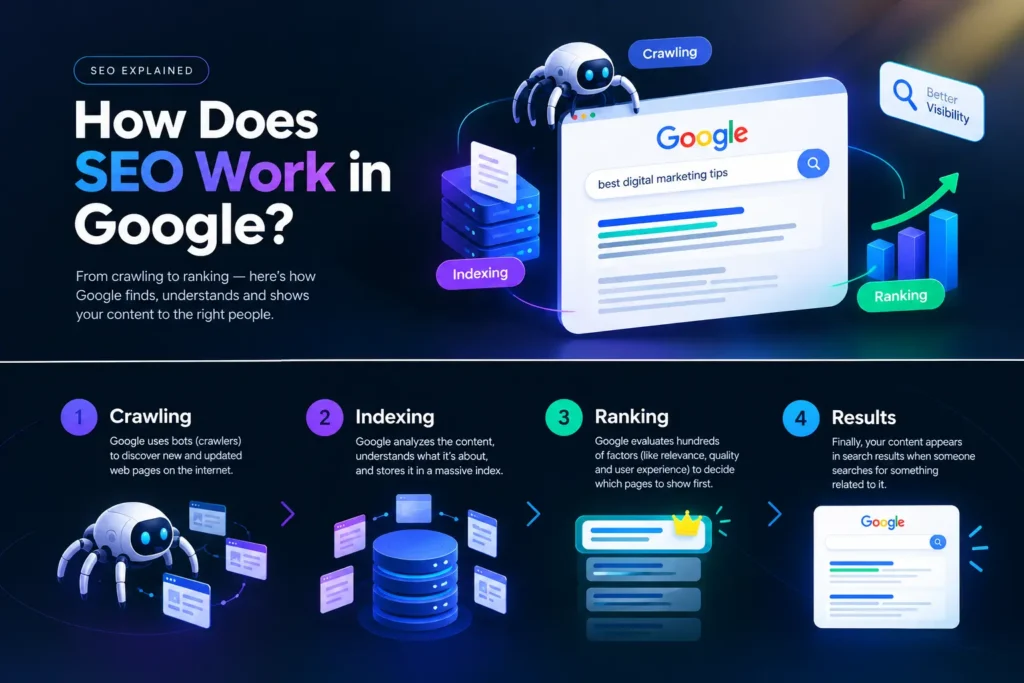
How Does SEO Work in Google You publish a new page, wait a week, then search for it on Google. Nothing. So you ask the question every beginner asks: how does SEO work, and why isn’t my page showing up? Here’s the short answer. SEO works by making it easy for Google to find your page, understand it, and trust it enough to show it for a search. That happens in three stages: crawling, indexing and serving. This guide explains how SEO works in Google in plain language, so you know what to fix first. How Does SEO Work? The Short Answer SEO, short for search engine optimization, is the work you do so your pages can appear in Google when people search for something related to your business. Google says it doesn’t accept payment to crawl a site more often or rank it higher. So SEO is about earning your spot, not buying it. If you’re still asking how SEO works, picture this. Google is a huge library with a very fast librarian, and your website is a book. The librarian has to find the book, read it and file it in the right place. Later, when someone asks a question, the librarian pulls out the books that answer it best. SEO is everything you do to make your book easy to find, easy to read and worth recommending. So how does SEO work in practice? It comes down to three jobs: Help Google find your pages. Help Google understand what each page is about. Show that your page is a better answer than the others. How Search Engines Work: Crawling, Indexing and Serving To understand how SEO works in Google, you first need to know how search engines work. Google describes its search as three stages, and not every page makes it through each one. google Crawling: how Google finds your pages Crawling is discovery. Google uses automated programs, called crawlers, to download text, images and videos from the pages it finds. It finds new pages by following links from pages it already knows, and from sitemaps that site owners submit. Things can go wrong here. A slow server, network errors, or a robots.txt file that blocks the crawler can all keep Google away from a page. What to do: link every important page from somewhere else on your site, submit an XML sitemap in Google Search Console, and check that your robots.txt isn’t blocking pages you want found. Indexing: how Google understands your content After crawling, Google tries to work out what the page is about. It looks at the text, images, video, title and other details, then stores what it learns in the Google index, which is a very large database. It also checks whether the page duplicates another one and picks a canonical version, the one that may be shown in results. Here’s the part many beginners miss: indexing isn’t guaranteed. A page can be crawled and still stay out of the index, for example because of a noindex tag, thin content, or a near-copy of another page. google Quick check: paste your page address into the URL Inspection tool in Search Console. It tells you if Google has indexed the page or not. Serving: how Google picks what to show When someone searches, Google looks through its index and returns what it judges most relevant. The results page changes with the query. A search like “bicycle repair shops” is likely to show local results, while “modern bicycle” is more likely to bring up images. Location, language and device also change what you see. This last stage is where ranking happens, and it’s where most SEO effort goes. Crawling and indexing get your page into the race. Serving decides whether it wins. How Does SEO Work for Rankings? The Google Ranking Factors That Matter This is the part most people really mean when they ask how does SEO work: why one page sits at number one and another sits on page five. Google doesn’t publish a full list of Google ranking factors, and anyone selling you “the exact formula” is guessing. Still, a few signals are well documented and worth your time. Relevance. Does your page match what the person meant, not only the words they typed? Someone searching “how does SEO work” wants an explanation. A page that tries to sell them a service in the first line will lose to one that explains. Content quality. Google’s guidance favours helpful, people-first content that shows experience, expertise, authority and trust (often shortened to E-E-A-T). Real examples, clear steps and honest limits beat generic text every time. Backlinks. A link from another trusted site works like a recommendation. One link from a relevant local website is worth more than fifty from random directories. Page experience. Pages should load fast, work well on a phone and use HTTPS. Google mainly uses the mobile version of a page for indexing, so a site that only looks good on desktop is already behind. Context. Where the searcher is, what language they use and what device they hold all play a part. That’s why two people can search the same words and see different results. The Three Parts of SEO Most SEO work falls into one of three buckets. Seeing how SEO works across all three keeps you from over-investing in just one. Type What it covers Examples On-page SEO Content and HTML on the page Title tag, headings, intro, image alt text, internal links Technical SEO Whether Google can crawl and index the site Sitemap, speed, mobile layout, HTTPS, broken links Off-page SEO Signals from outside your site Backlinks, brand mentions, Google Business Profile My advice on how SEO works for a new site: fix technical problems first, because nothing else matters if Google can’t reach the page. Then work on on-page SEO, and only then spend time on links. If you serve customers in one town or district, set up your Google Business Profile early. For “near

What Is SEO? A Beginner’s Guide
Uncategorized

What Is SEO? A Beginner’s Guide

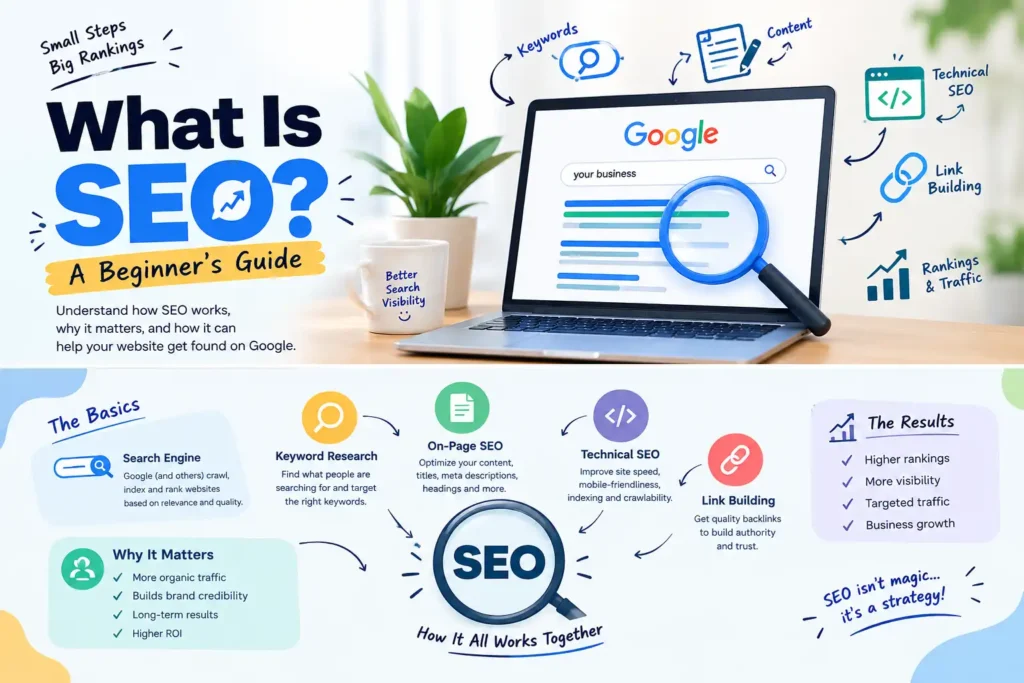
What Is SEO? A Beginner’s Guide What Is SEO? A Beginner’s Guide You type your own business name into Google and find nothing on the first page. Worse, a competitor with an older, uglier website sits right at the top. If that has happened to you, you are probably wondering what is SEO and whether it can fix this. Short answer: yes, it can help, though not overnight. This guide answers one question, what is SEO, and then walks through how it works and the first steps you can take this week. No jargon, no tricks. What Is SEO? The Short Answer SEO stands for search engine optimization. It means improving your website so search engines like Google can find it, understand it and show it to people who are searching for what you offer. Google’s own documentation describes Search Engine Optimization as the process of making your site better for search engines. The word to remember is “organic”. When a visitor comes to you through SEO, you did not pay for that click. Someone searched, saw your page in the normal results and chose it. So what is SEO in one line? It is the work of earning a spot in search results by being the clearest, most trustworthy answer to a question. What Is SEO in Digital Marketing? When people ask what is SEO in digital marketing, the honest answer is this: it is the search part of your marketing. Digital marketing covers every way a business reaches customers online, including social media, email, paid ads, content and search. SEO is usually the slowest channel to start and the cheapest one to keep running. Here is how it compares with paid search ads: Factor SEO Paid ads Cost per click No direct cost per click You pay for every click Speed Takes weeks or months Can start the same day After you stop Pages can keep bringing visitors Traffic stops when the budget stops Best for Steady, long-term traffic Offers, events and quick launches Most small businesses do best with both. Run ads for something urgent, like a festival sale, and let SEO build steady traffic in the background. [ADD YOUR EXPERIENCE: one or two sentences on how SEO fitted into a real client’s marketing mix, with real numbers if you can share them.] How SEO Works: Crawl, Index, Rank Understanding what is SEO means understanding how a search engine picks what to show. It does three jobs, and your page has to pass all of them. Crawling. Bots follow links from page to page to discover content. If no link leads to your page, it may never be found. Indexing. The search engine reads the page and stores it in a huge database. Blocked or very thin pages can get left out. Ranking. When someone searches, the engine picks the indexed pages that best match the question and puts them in order. Nobody outside Google knows the exact ranking formula, and anyone who claims to is guessing. What we do know is that search engines want to show pages that answer the search quickly, load well on a phone and come from a source people can trust. Build for that and you are on the right track. Types of SEO You Should Know A beginner asking what is SEO usually hears about three parts: on-page, off-page and technical. They work together, so it helps to see them side by side. On-Page SEO This is everything you control on the page itself: the title, headings, text, images and internal links. Put your main keyword in the title and the first paragraph, use clear headings and write for the person reading, not for a bot. Add short alt text to images so search engines and screen readers know what the picture shows. Off-Page SEO This covers signals from outside your website, mainly backlinks, which are links from other sites to yours. A link from a respected site works like a recommendation. You earn them by publishing useful content, listing your business in genuine directories and getting mentioned by real people. Cheap link packages are a bad idea. They can get your site penalised. Technical SEO Technical SEO makes sure search engines can reach and read your site without trouble. That means fast pages, a mobile-friendly design, HTTPS, clean URLs and a sitemap. If your site crawls along on a phone with weak mobile data, fix that before you write your fiftieth blog post. Local SEO If you serve a specific area, add local SEO on top. Complete your Google Business Profile, keep your name, address and phone number the same everywhere, and ask happy customers for reviews. Start With Keyword Research Keywords are the words people type into a search box. Keyword research means finding the phrases your customers really use, then building pages around them. A dentist’s patients may search “tooth pain at night” long before they search “dental clinic”. Look at the intent behind each phrase: Informational: the person wants to learn, like “what is SEO”. Commercial: they are comparing options, like “best SEO course”. Transactional: they are ready to act, like “hire an SEO freelancer”. Local: they want something close by, like “SEO services near me”. Free tools such as Google Keyword Planner and Google Search Console show what people search for and what already brings you visitors. Pick one main keyword per page and a few related phrases. Do not cram them in. If a sentence sounds odd when you read it aloud, rewrite it. A Simple SEO Checklist for Beginners Now that you know what is SEO, do not try everything at once. This SEO for beginners checklist works best in order, one page at a time. Choose one main keyword for the page. Write a title of about 60 characters that includes it. Write a meta description of 150 to 160 characters that makes people want to click. Use one H1 and clear H2 headings. Answer the main question in the first few

Scroll to Top