Technical SEO Explained with Examples
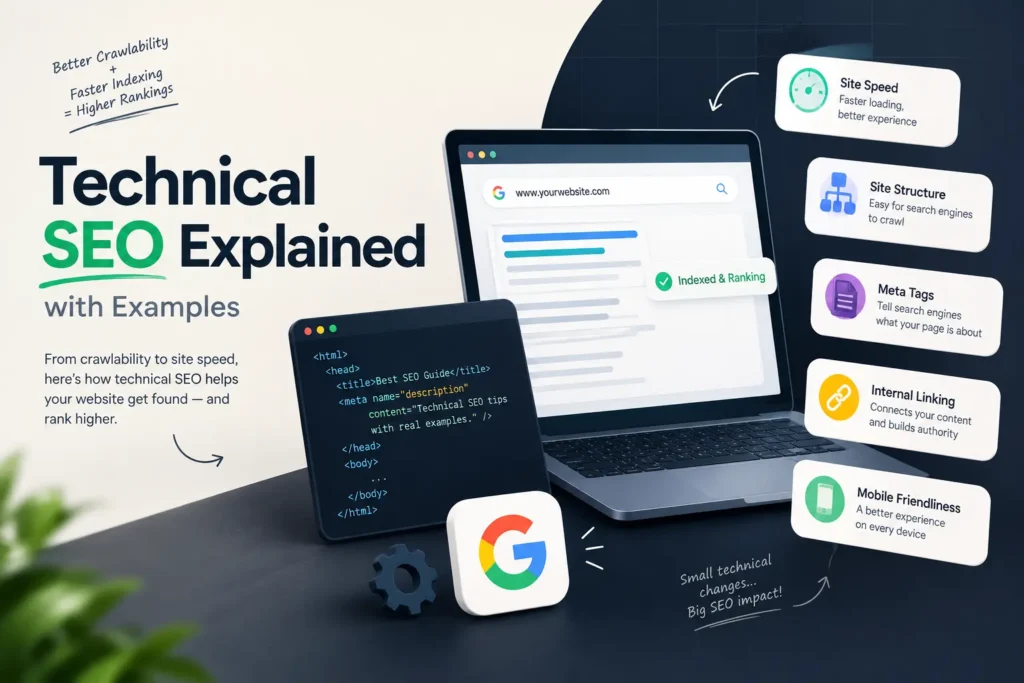
Technical SEO Explained with Examples (A Beginner-Friendly Guide)
You can write the best blog post in your niche and still get no traffic. It happens more often than people admit. And the reason is usually not the content. Google may not be able to crawl the page, the page may load too slowly, or one stray tag may be telling search engines to stay away.
That is the problem technical SEO solves. In this guide, I’ll keep technical SEO explained in plain words, with simple examples you can picture and a checklist you can use on your own website. If you are searching for technical SEO for beginners, this is written for you. You don’t need to know how to code.
What Is Technical SEO?
Technical SEO is the work you do on a website’s setup and structure so search engines can crawl it, understand it and add its pages to their index. It has nothing to do with the words you write. It is about the foundation under those words.
Picture a shop in Thrissur town. The products are good and the display looks great. But the road to the shop is blocked, the shutter is stuck and the lights are off. Nobody walks in. Technical SEO clears the road, fixes the shutter and switches the lights on.
Here is how it differs from the other two parts of SEO:
| Type | What it covers | Simple example |
|---|---|---|
| On-page SEO | Content and page elements | Title tag, headings, keyword use |
| Off-page SEO | Signals from other sites | Backlinks, brand mentions |
| Technical SEO | Site setup and performance | Speed, crawling, indexing, security |
Why Technical SEO Matters
A page has to pass three steps before it can rank. Google finds it (crawling), stores it (indexing), and then decides where to show it (ranking). If a page fails at step one or two, great content and strong backlinks can’t help it.
Technical SEO also affects real visitors. A slow, broken or unsafe-looking site loses people fast, and that hurts enquiries and sales, not just rankings.
One honest note, though. Fixing technical issues will not push a weak page to the top. It removes the obstacles. You still need useful content to win the ranking.
Technical SEO Explained: The Core Parts
1. Crawlability
Search engines send bots to move through your site by following links. Your robots.txt file tells those bots where they can and cannot go.
Here is a classic mistake. A developer builds a new site on a test server and blocks everything so Google doesn’t index the unfinished pages. The line looks like this:
User-agent: *
Disallow: /
Then the site goes live, and nobody removes that line. The whole website stays invisible to search engines. It sounds silly, but it happens, so check your robots.txt after every launch or redesign.
2. Indexing
Being crawled is not the same as being indexed. A page can be read by Google and still not be shown in results. The most common cause is a noindex tag in the page’s code:
<meta name="robots" content="noindex">That tag is useful on thank-you pages or internal search pages. On a service page, it is a disaster. Open the Pages report in Google Search Console and look at the “Not indexed” section. It lists the reasons page by page.
3. Site speed and Core Web Vitals
Google measures page experience with three signals called Core Web Vitals:
- LCP (Largest Contentful Paint): how fast the main content loads. Google’s “good” mark is 2.5 seconds or less.
- INP (Interaction to Next Paint): how quickly the page reacts when someone taps or clicks. Good is 200 milliseconds or less.
- CLS (Cumulative Layout Shift): how much the layout jumps around while loading. Good is 0.1 or less.
Example: a restaurant website uses a 4 MB photo as its homepage banner. On a mobile network, the page crawls. Compressing that image, saving it as WebP and lazy-loading the images below the fold can fix most of it. Test your pages free in PageSpeed Insights.
4. Mobile-friendliness
Google mostly uses the mobile version of your site to decide rankings. This is called mobile-first indexing. If your phone version hides content, has tiny buttons or needs sideways scrolling, you’re giving search engines a weaker page than the one you see on your laptop.
In India, most searches happen on phones, so this one deserves real attention.
5. HTTPS and security
HTTPS encrypts the connection between your site and the visitor. Browsers mark sites without it as “Not secure”, which scares people away. Most hosts offer a free SSL certificate, so there is little reason to skip it. After switching, redirect every http:// URL to the https:// version.
6. Clean URL structure
Short, readable URLs help people and search engines understand a page.
- Good:
example.com/technical-seo-guide/ - Messy:
example.com/index.php?id=4821&cat=7
Use lowercase letters, hyphens between words, and avoid stuffing keywords into long strings.
7. XML sitemap
A sitemap is a list of the pages you want search engines to find. It doesn’t guarantee indexing, but it helps Google discover new pages quicker, especially on bigger sites. Submit yours in Google Search Console and keep it free of redirected or deleted pages.
8. Duplicate content and canonical tags
The same page can sometimes open on several URLs. For example:
http://example.com/shoeshttps://www.example.com/shoeshttps://example.com/shoes?utm_source=whatsapp
To Google, these can look like different pages. A canonical tag tells it which version is the main one:
<link rel="canonical" href="https://example.com/shoes">This stops your ranking signals from being split across copies.
9. Redirects and broken links
When you move or delete a page, send visitors to the new one with a 301 redirect. A 301 means “moved permanently”. Avoid redirect chains, where page A goes to B, then to C, then to D. Each hop slows things down and wastes crawl effort.
Broken links that lead to 404 pages frustrate users. Fix them, or redirect them to the closest relevant page.
10. Structured data (schema)
Schema is a small piece of code that explains your content to search engines in a standard format. A local business can use LocalBusiness schema to share its name, address and phone number. A blog can use Article schema, and a page with questions can use FAQPage schema. It can make you eligible for rich results, though Google decides whether to show them.
Technical SEO Checklist for Beginners
Use this technical SEO checklist when you look at a site for the first time:
- Open yourdomain.com/robots.txt and make sure nothing important is blocked.
- Check Google Search Console for indexing errors.
- Confirm the site loads on HTTPS with no mixed-content warnings.
- Run your top five pages through PageSpeed Insights.
- Test the pages on a real phone, not just a browser preview.
- Make sure every page has one canonical URL.
- Find broken links and fix or redirect them.
- Submit a clean XML sitemap.
- Add schema where it fits (Article, FAQPage, LocalBusiness).
- Look for duplicate title tags and missing H1 headings.
How to Run a Technical SEO Audit
A technical SEO audit is a health check for your website. You don’t need expensive software to start. Here is a simple order that works:
- Start with Google Search Console. It is free and shows what Google itself sees: indexing problems, mobile issues and Core Web Vitals reports.
- Crawl your site with a tool. Screaming Frog’s free version crawls up to 500 URLs, which is enough for many small business sites. It reveals broken links, redirects, missing titles and duplicate pages.
- Test speed. Use PageSpeed Insights on your homepage, one service page and one blog post.
- Check structured data. Google’s Rich Results Test shows if your schema is valid.
- List and rank the issues. Fix what blocks indexing first, then speed, then small clean-ups. Don’t try to fix everything in one day.
[ADD YOUR EXPERIENCE: Write a short real example from your own work, such as a site where you found a noindex tag, a slow image, or a redirect problem. Include what you changed and what happened, only if you can share real results.]
Common Technical SEO Mistakes
- Leaving noindex or a robots.txt block on after a site goes live
- Ignoring mobile speed because the site looks fine on a desktop
- Changing URLs without adding 301 redirects
- Submitting a sitemap full of dead or redirected URLs
- Chasing a perfect speed score instead of fixing the real bottlenecks
- Running an audit once and never checking again
My advice: do a light check every month and a full technical SEO audit every few months, or after any big change like a redesign, migration or plugin update.
Technical SEO FAQs
What is technical SEO in simple words?
It is the setup work that helps search engines find, read and store your web pages, so your content has a fair chance to rank.
Is technical SEO hard for beginners?
The basics are not. Checking robots.txt, fixing broken links, compressing images and reading Search Console reports need no coding. The deeper parts, like server settings or JavaScript rendering, may need a developer.
How is technical SEO different from on-page SEO?
On-page SEO deals with what is on the page, such as content, headings and titles. Technical SEO deals with how the site is built and delivered, such as speed, crawling and security.
Which tools do I need?
Start with Google Search Console and PageSpeed Insights, both free. Add a crawler like Screaming Frog when you want a deeper look.
How long does it take to see results?
It depends on the problem. A fixed indexing error can show up within days or weeks after Google recrawls the page. Speed and quality improvements usually show up more slowly. Nobody can promise an exact timeline.
Final Thoughts
Technical SEO is not glamorous, but it is the base everything else sits on. Content, links and branding all work better when search engines can reach your pages without trouble.
Start small. Open Search Console today, check your robots.txt, and test your homepage speed. Fix one thing, then the next. If you’d like a second pair of eyes on your site, get in touch for a technical SEO audit.
On-page package
Keywords
- Primary: technical SEO. It’s in the title, H1, first 100 words, several H2s, meta description, slug and conclusion.
- LSI: technical SEO for beginners, technical SEO explained, technical SEO checklist, technical SEO audit, plus Core Web Vitals and crawlability as related terms.
Internal linking (at least 1)
- Link “on-page SEO” in the comparison table to your on-page SEO checklist blog (anchor: “on-page SEO checklist”).
- Link “off-page SEO” to your off-page SEO guide (anchor: “off-page SEO guide”).
- Link the closing line “get in touch for a technical SEO audit” to the Services or Contact section of fazill.com.
External reference: Google Search Central documentation (developers.google.com/search/docs) for crawling, indexing and canonicals, and web.dev for Core Web Vitals. [VERIFY SOURCE] Open both and confirm the exact pages and the current thresholds before publishing.
Image plan
- After the intro: a “crawl, index, rank” flow diagram. Prompt: “Clean flat infographic showing three steps, crawl, index, rank, with arrows, blue and white, minimal.” Alt text: “Technical SEO process showing crawl, index and rank steps.”
- Core Web Vitals section: a simple infographic of LCP, INP and CLS with their good limits. Alt text: “Core Web Vitals targets in technical SEO.”
- Checklist section: a screenshot of your own Google Search Console Pages report. Alt text: “Google Search Console indexing report used in a technical SEO audit.”
Video/embed: A short screen recording of you running a PageSpeed Insights test would suit the speed section.
Schema: Article plus FAQPage, since the post has a real FAQ block.
Self-check
- Length and density: about 1,720 words. “Technical SEO” appears 24 times, roughly 1.4%, which is inside your 1 to 2% target. Tools that count each word of the phrase separately will show a higher number.
- Placeholder to fill: the one bold [ADD YOUR EXPERIENCE] block. I didn’t invent a client story or any results.
- Originality: written from general knowledge, not copied from any page. No tool can guarantee 0% plagiarism, so run Copyscape or Quetext before publishing.
- To verify: the Core Web Vitals thresholds, the Screaming Frog free limit, and the two source links.